
 Provider hub
 Xfinity router & modem lights
Light meanings for Xfinity xFi gateways, including XB7 and XB8. Orange, green, blue and white each point to a next step.
Identify your hardware
Light meanings are model-specific. Confirm the model before comparing a light to a chart.
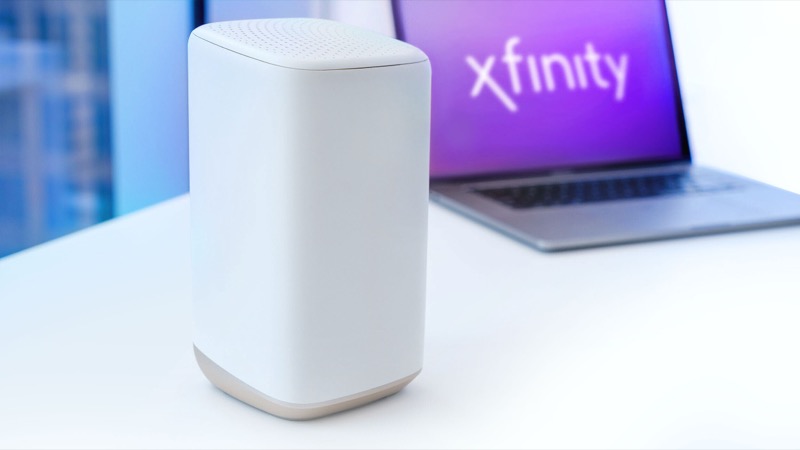
Xfinity leases gateways such as the XB8 and supports customer-owned devices. The friendly generation name (xB) is not the hardware model number.
How to find your model number →Model light guides
Model-specific light charts, one per hardware family.
Xfinity gateway lights: what each state means Xfinity's official table lists the gateway light states: no light (off), white (operational or activating), red (no internet connection), blue (WPS… View light chart → Xfinity XB7 (CGM4331COM) gateway lights The Xfinity XB7 (CGM4331COM) uses the same official light table as other gateways: no light is off, white is operational or activating, red means no… View light chart → Xfinity XB8 (CGM4981COM) gateway lights The Xfinity XB8 (CGM4981COM) has WiFi 6E and four Gb Ethernet ports. Its lights follow Xfinity's official gateway table: no light is off, white is… View light chart → Xfinity XB8 gateway: what to do when a light is wrong For an Xfinity XB8 (CGM4981COM), decide the state first. No light means off. Blinking orange, green or yellow means connecting: wait about 15… View light chart →
Common problems
Step-by-step walkthroughs for the states people search for most.
Xfinity Modem Online Light Blinking: Fix Xfinity's official light table for gateways has no online light. If you have a gateway, the blinking light falls in the connecting group, so wait… Open the walkthrough → Xfinity Modem Power Light Flashing: Causes & Fix Xfinity's official light table has no separate power light. A flashing light means the gateway has power and is trying to connect. Open the walkthrough → Xfinity Router Blinking Blue: What It Means On Xfinity gateways a blinking blue light means WPS pairing mode: the gateway is waiting to connect a Wi-Fi device. It stops when the device joins. Open the walkthrough → Xfinity Router Blinking Green After Restart: Normal? A green light straight after an Xfinity gateway restart is part of the connection cycle. Open the walkthrough → Xfinity Router Blinking Green: Meaning & Troubleshooting A blinking green light on an Xfinity gateway means it is still connecting, or keeps dropping its connection. Open the walkthrough → Xfinity router blinking orange A blinking orange light on an Xfinity gateway means it cannot connect to the Xfinity network. Open the walkthrough → Xfinity Router Blinking Orange After Power Outage After a power cut, an Xfinity gateway restarts and reconnects, and the blinking orange light can last about 15 minutes while it does. Open the walkthrough → Xfinity Router Blinking White: Meaning A steady white light on an Xfinity gateway means it is on and operational. A white light that blinks while the gateway is activating means it is… Open the walkthrough → Xfinity Router Blinking Yellow Light: Meaning & Fix A blinking yellow light on an Xfinity gateway usually means it cannot establish a connection, most often during first-time setup. Open the walkthrough → Xfinity Router Offline Light: What It Means Offline is not a light colour in Xfinity's official table. A light that is off means no power. Open the walkthrough → Xfinity Router Red Light: Meaning & Troubleshooting A steady red light on an Xfinity gateway means there is no internet connection, according to Xfinity's official light table. Open the walkthrough → Xfinity Router Solid Orange Light: Meaning Xfinity's official light table does not list a steady orange light. It falls under colour combinations that mean connecting, with a wait of about 15… Open the walkthrough →
Official Xfinity resources
These links leave this site and open the provider's own pages.
Check the Xfinity network status Xfinity account and app support Xfinity gateway and router overview
Last updated 2026-11-01. Spot something wrong? Report a correction.