
#1 What This State Means
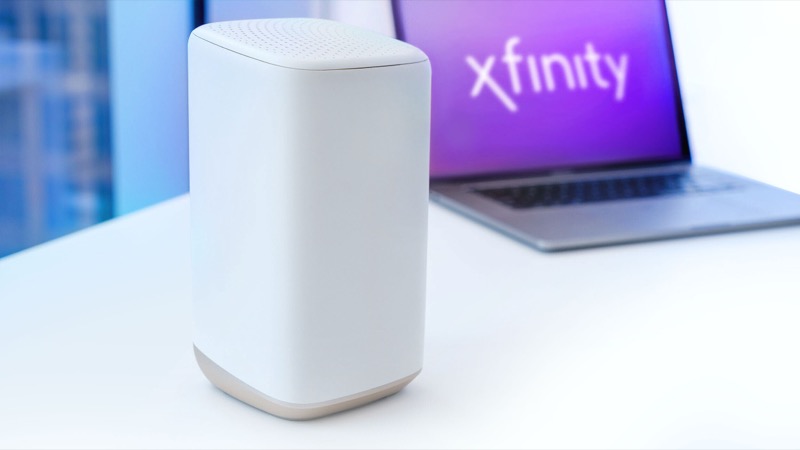
A blinking yellow light on an Xfinity gateway is not one of the colours in Xfinity’s official light table. The table covers white, red, blue and a catch-all group of other colour combinations, and yellow falls into that group. Xfinity’s own employees describe it in the community forum. In a first-time setup, a blinking yellow light usually means the gateway is having trouble establishing a connection with the Xfinity network, so it is not receiving a proper signal.
The same employee reply lists one less common cause: the gateway may be installing firmware. That usually resolves itself within about 15 minutes. It also names a possible internal problem with the gateway itself, which is the case where the connection and cable checks below do not change the light.
So a blinking yellow light has two likely readings. Either the gateway has not yet found a signal, which is common during a new install or after a move, or it is updating, which should settle on its own. Both lead to the same first step, which is to give the gateway time and check the connection before you call.
#2 Steps to Troubleshoot
- Give it 15 to 30 minutes. The Xfinity employee advice for a new install is to be patient, because the gateway can take a while to start, find the signal and activate. Do not restart it during that time.
- Check that the service is live at the address. A first-time install that is not receiving a Comcast feed will never connect. If you have just moved in, confirm with Xfinity that service is active at the address before going further.
- Check the coaxial cable. The coax must be securely tightened at the wall outlet and at the back of the gateway. The employee reply calls this a common culprit.
- Check the power cable. Make sure it is firmly connected to the gateway and to a working outlet. Try a different outlet if you can.
- Restart once. Unplug the power cord, wait one minute, then plug it back in. Then wait for the full cycle again.
- Check whether the light changes. If the yellow light goes away and the gateway shows another colour, follow that colour’s guide. If it stays yellow for more than 15 to 30 minutes after the cable and power checks, contact Xfinity.
- Ask for a technician if the gateway is at fault. If the light stays yellow and no connection or cable check changes it, Xfinity can check the gateway and the line from their side.
#3 What If Scenarios
Q: Is a blinking yellow light the same as a blinking orange light? The official table does not describe yellow or orange separately. Both are part of the connection cycle. The Xfinity employee reply links yellow to trouble connecting, which is the same kind of state as the orange light, so follow the Xfinity router blinking orange guide for the connection steps.
Q: The yellow light started after a firmware update I did not start. Is that normal? It can be. The employee reply says a blinking yellow light can mean the gateway is updating firmware, and that this usually resolves within about 15 minutes. Leave the gateway powered and undisturbed during that time.
Q: Will a factory reset clear the yellow light? The sources do not say so. A factory reset erases your Wi-Fi name, password and custom settings, and it puts the gateway back through setup. Reset only if Xfinity support tells you to.
Q: My new gateway showed a white light, then went yellow. What happened? A new gateway can show white during activation and then move into the connection cycle. Forum customers have reported this after an outage at install time. Give it time, check the coax and power, and call Xfinity if it stays yellow, because activation may need checking from the account side.
Q: Who should I call? Xfinity support, through the app or the number on your account. Say the light is blinking yellow, when it started, whether you are doing a first-time setup, and what the cable and power checks showed.
Q: How do I know whether the gateway is stuck or just slow? Count the time. The employee reply gives 15 to 30 minutes for a first-time install and about 15 minutes for a firmware update. If the yellow light changes within that window, the gateway is progressing. If it stays yellow well beyond that with the cable and power already checked, treat it as stuck and contact Xfinity rather than keep waiting.
#4 Related Articles
For the connection states, read the Xfinity router blinking orange guide and the Xfinity router blinking white guide. For what to do when there is no connection, read the Xfinity router red light guide.