
#1 What This State Means
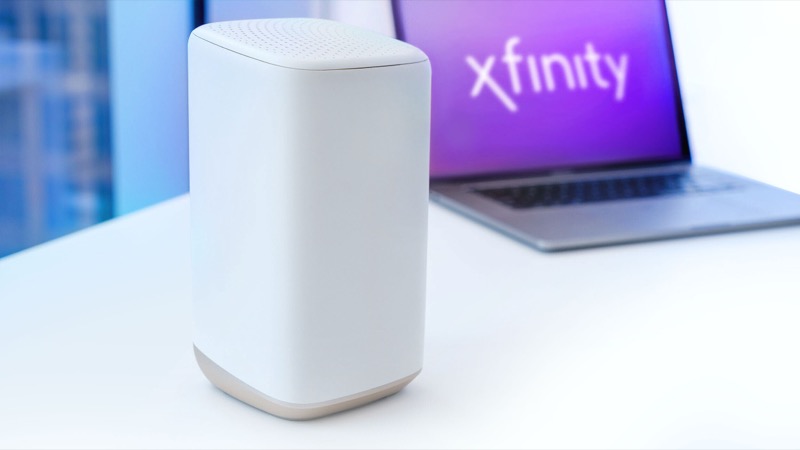
The Xfinity Advanced Gateway, XB8, has model number CGM4981COM. Xfinity’s gateway overview lists its specifications: WiFi 6E tri-band, four Gb Ethernet ports, WPS, activation through the Xfinity app, and a battery backup option for Voice service. Those details identify the device. They do not add light states.
The XB8’s front lights follow Xfinity’s official light table, which covers gateways as a group. No light means the device is off. White means operational, or activating if it is still being set up. Red steady means no internet connection, and the instruction is to contact Xfinity. Blue blinking means WPS pairing mode. Any other colour, such as orange, green or yellow, falls in the group that means connecting to Xfinity systems, and the instruction is to wait about 15 minutes.
So when people search for “XB8 lights”, the useful answer is the table applied to this model. The XB8 does not have a separate chart with its own colours, and the rest of this page works from that table and the model’s listed features.
#2 Steps to Troubleshoot
- Confirm the model on the label. A CGM4981COM label means XB8. An XB7 is CGM4331COM and has its own guide.
- Read the light. Note the colour and whether it is steady or blinking, and whether there is any light at all.
- Use the table. Match the light to its row. Act on the single instruction it gives, whether that is waiting, following the Getting Started guide, pairing with WPS, or contacting Xfinity.
- Check power if the light is off. A dark XB8 is off according to the table. Check the adapter and outlet before anything else.
- Check the WPS step if the light is blue. WPS pairing needs the device and the gateway button pressed within the window. Xfinity’s WPS article describes the two-minute window.
- Check the coax and outages. Make sure the coax is tight at the wall and the gateway, and check the Xfinity app for an outage.
- Restart once if needed. Unplug the power, wait one minute, plug it back in and allow the cycle to finish.
- Contact Xfinity. Give the model number CGM4981COM, the colour and pattern, and what you have already checked.
#3 What If Scenarios
Q: Is the XB8 light the same as the XB7 light? The table gives the same colour meanings for both. The models differ in their features, so check the model number before you rely on any feature-specific detail.
Q: My XB8 has WiFi 6E. Does that change the lights? The official table does not describe the lights by Wi-Fi standard. The lights show the gateway’s connection and activation state, not which band a device is using.
Q: The XB8 is blue. Is it broken? Not on the table’s reading. Blue blinking is WPS pairing. If you have not pressed the WPS button, check whether a device in the house is trying to pair, and then contact Xfinity if you are unsure.
Q: Does the XB8’s battery backup light up differently during an outage? The overview lists battery backup for Voice as an option, but the official table does not describe battery-mode lights. Check the battery’s instructions and contact Xfinity if the light behaves unexpectedly during an outage.
Q: Will a factory reset fix a red XB8? The table asks you to contact Xfinity for a steady red light, not to reset. A factory reset erases your Wi-Fi name, password and custom settings, so reset only if Xfinity support tells you to.
Q: Why does the XB8 page mostly repeat the official table? Because Xfinity does not publish a separate light chart for the XB8. The table is the only official source for gateway light states, and it applies to the model. Where the table is silent, this page says so and gives the safe next step rather than an XB8-only colour meaning. That keeps the page to what the sources support.
Q: How do I confirm I have an XB8 and not an XB7 or XB9? Read the model number on the label. The XB8 is CGM4981COM. The XB7 is CGM4331COM. The overview also lists the XB9, which has no phone port and cannot be used with Xfinity Voice, so an XB9 is a different case entirely. If the label does not match the XB8 model number, use the matching model guide rather than this one.
#4 Related Articles
For the full state table, read the Xfinity gateway lights guide. For the XB7, read the Xfinity XB7 gateway lights guide. For the colour-by-colour troubleshooting decision, read the Xfinity XB8 gateway troubleshooting guide.