
#1 What This State Means
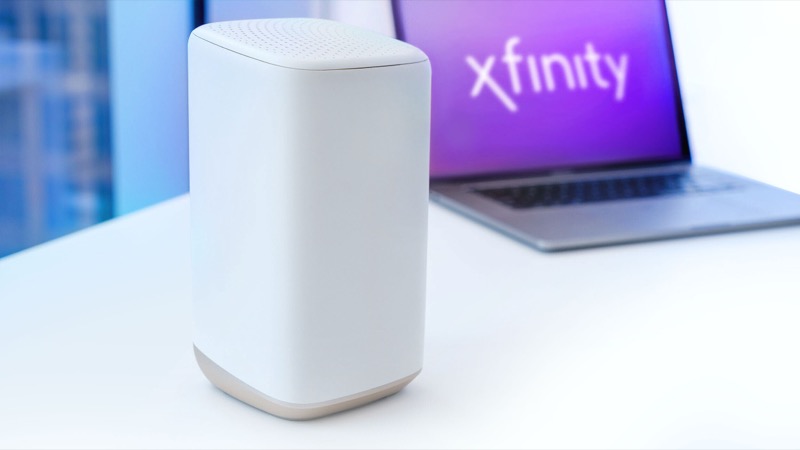
This guide is for the moment an XB8 light is wrong and you need to decide what to do. The XB8 is the Xfinity Advanced Gateway, model CGM4981COM, with WiFi 6E and four Gb Ethernet ports. Its front lights follow Xfinity’s official light table, which covers gateways as a group.
The table gives one instruction per state. Steady red means no internet connection and a call to Xfinity. A connecting colour, such as blinking orange, green or yellow, means wait about 15 minutes for the cycle. Blue blinking means WPS pairing. White means operational or activating. No light means the gateway is off. Most of the work is deciding which of those states you are actually in, and then taking the one step the table allows.
The mistake to avoid is treating a colour that is not in the table as a known fault. The table does not give a unique meaning to orange, green or yellow, so for those colours the decision is about timing and checks, not a specific cause.
#2 Decision Steps
- Decide whether the gateway is off. No light at all means off. Check the adapter and outlet, then return here.
- Decide whether the light is steady or blinking. Steady red is no internet connection. Blinking blue is WPS. Blinking white during activation is expected. Blinking orange, green or yellow is connecting.
- For a connecting colour, time it. Wait about 15 minutes from the last change, such as a restart, a power cut or an outage.
- If the connecting colour continues, check the physical connections. Coax at the wall and the gateway, and the power adapter. Make sure the coax is finger-tight, not over-tightened.
- Check for an outage. Use the Xfinity app. An outage keeps the gateway in the connecting state until service returns.
- Restart once. Unplug the power, wait one minute and plug it back in. Restarting repeatedly starts the cycle again.
- If the light is steady red, contact Xfinity. The table says so directly. Do not spend time on repeated restarts for a red light.
- If nothing changes after the cycle, contact Xfinity. Give the model number, the colour, whether it is steady or blinking, and what you have already checked.
#3 What If Scenarios
Q: The XB8 light changed from orange to green. Did it fix itself? Probably the gateway moved through the connecting group. Both colours are connecting states in the table. Wait for the cycle to finish and check whether the light goes to white or stays connecting.
Q: The XB8 shows blue but nobody pressed WPS. What now? The table reads blue blinking as WPS pairing, so check whether someone in the house pressed the WPS button or a device is trying to join. If you are unsure, change the Wi-Fi password in your Xfinity account rather than leave the network open.
Q: I restarted the XB8 three times and the light is still orange. Should I restart again? Stop restarting. Each restart starts the connecting cycle again. Wait the full time, check the coax, check for an outage, and then contact Xfinity.
Q: The XB8 light is off but the Wi-Fi name still appears on my phone. What does that mean? The table defines no light as the device being off. Check the gateway is powered. If it has power and the light is still off, contact Xfinity, because the table has no other reading for that state.
Q: Will a factory reset help? Only if Xfinity support tells you to. A factory reset erases your Wi-Fi name, password and custom settings. The table does not ask for a reset for any light state.
Q: My XB8 has been connecting for longer than 15 minutes. What should I do first? Check the three things that change a connection: the coax at the wall and the gateway, the adapter and outlet, and the Xfinity app’s outage check. Restart the gateway once if those are fine. If the connecting colour continues after a full cycle and a single restart, contact Xfinity with the time it started and the steps you have taken.
Q: The light is blinking white. Is the XB8 stuck? Blinking white can be expected during activation, which the table describes as limited operation. If the XB8 has been set up and is still blinking white, follow the activation steps again and check the account in the Xfinity app. If it keeps blinking white after that, contact Xfinity rather than resetting it.
#4 Related Articles
For the full table, read the Xfinity gateway lights guide. For the model reference, read the Xfinity XB8 lights guide. For a red light, read the Xfinity router red light guide.