
#1 What This State Means
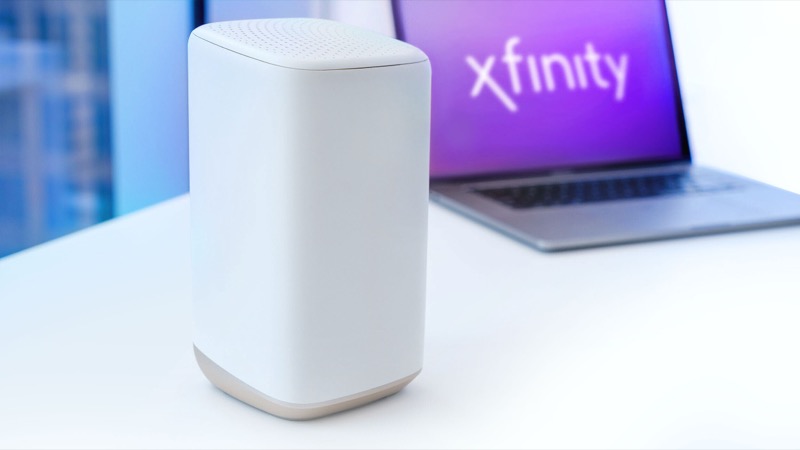
Your Xfinity router blinks blue because it is in WPS pairing mode. This is the one light state where Xfinity’s official material gives a specific meaning. The gateway light table lists blue blinking as WPS mode, and the WPS article says that on the XB6, XB7 and XB8 the blue LED blinks slowly when the WPS button is pressed, which indicates pairing mode. Once pairing is complete, the light turns white, which means operational.
So a blinking blue light is normally a deliberate action: someone pressed the WPS button, or a device was set to join with WPS. The article asks you to press the WPS button on the device or gateway within two minutes. If the connection does not complete, the WPS light keeps blinking for about five minutes before it stops, and the article says to wait until it stops before retrying.
That makes blue the easiest colour to explain, and it is also the one that is least likely to be a fault. The sources do not link a blue light to firmware updates, and an earlier draft that said so was not supported. If the blue light appears when nobody pressed WPS, the question becomes who is trying to join the network, not what is wrong with the hardware.
#2 Steps to Troubleshoot
- Check whether you pressed WPS. If you did, the blue light is expected. Wait for it to turn white, which means pairing is complete.
- If you did not press WPS, check for a device trying to join. Look at any device that is set to connect with WPS, such as a printer, a camera or a smart device. Cancel its pairing attempt if you can.
- Finish the pairing within two minutes. Press the WPS button on the device, then the WPS button on the gateway, within two minutes of each other, as the article describes.
- If the blue light blinks for about five minutes and stops, retry once. Wait until it stops before trying again, because a second press during the blink does not help.
- Secure the network if pairing was not yours. Change the Wi-Fi password in your Xfinity account so that an unknown device cannot join. Then check the connected devices list.
- Contact Xfinity if the blue light keeps blinking. Say whether you pressed WPS, which device you were pairing, and what the light did.
#3 What If Scenarios
Q: The light is blinking blue but I did not press anything. Is the gateway broken? Not necessarily. A blue blinking light means WPS pairing is active, so something may have started pairing. Check the devices, then change the Wi-Fi password if you cannot account for the attempt.
Q: The light turned white after pairing. Is the connection secure? White means the gateway is operational, but it does not tell you who is connected. Review the devices on your network and remove any you do not recognise. Changing the Wi-Fi password is the safer step if you are unsure.
Q: Why does the blue light blink for five minutes after I press WPS? The article says the WPS light keeps blinking until the connection succeeds, and if it does not succeed it blinks for about five minutes. A device that did not pair within the window will not pair later. Wait for the light to stop, then try again from the start.
Q: Is blue the same as the blue light in the Xfinity firmware update? The sources we checked do not describe a firmware-update light colour. Blue is WPS pairing in the official material. If you think your gateway is updating, check the Xfinity app and do not assume a colour means an update.
Q: Do I need to factory reset to remove a device I did not add? No. Removing a device and changing the Wi-Fi password is enough in most cases. A factory reset erases your Wi-Fi name, password and custom settings, so reset only if Xfinity support tells you to.
Q: Can a neighbour or a visitor connect to my network this way? Anyone who knows the WPS button or the pairing window can try to join, which is why a blue light you did not start is worth checking. Pairing needs someone to press the button on the gateway, or to start WPS on a device, within the window. If you see a blue light you did not start, change the Wi-Fi password so that any device that joined earlier has to reconnect with the new key.
#4 Related Articles
For the full colour table, read the Xfinity gateway lights guide. For the blue-light guide, read the Xfinity router blinking blue guide. For the white state after pairing, read the Xfinity router blinking white guide.