
#1 What This State Means
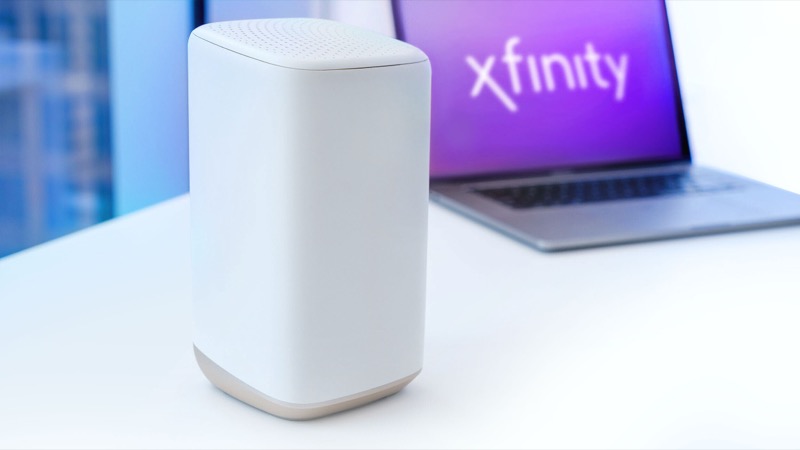
The short answer is that the gateway is trying to connect to Xfinity’s systems and has not yet succeeded. Xfinity’s official light table puts blinking orange in its “all other colour combinations” group, which means connecting to Xfinity systems. An Xfinity employee on the community forum says the same thing more directly: a flashing light of any colour means the gateway is not able to connect, and orange is the one you see most often during an interruption.
So the question “why” has three common answers, in the order the sources support them. The first is that the gateway has just restarted, or has come back from a power cut or update, and is still going through its connection cycle. The second is an interruption to service in your area, which stops the gateway reaching the network until it is repaired. The third is a physical connection problem, most often a loose coax cable. Third-party guides list the same three, and they add that the orange light usually means the gateway cannot reach the network at all, which is why the internet is down while it is blinking.
The table does not give a single cause for orange, so the honest answer is the one the table gives: the gateway is connecting, and the next step is timing and checks, not a specific repair.
#2 Steps to Troubleshoot
- Work out whether it just started. If the orange light began after a restart, a power cut or a firmware update, wait about 15 minutes for the connection cycle to finish.
- Check for an outage. Open the Xfinity app and look for an outage in your area. If there is one, the orange light will persist until service is restored.
- Check the coax. Make sure the coax is finger-tight at the wall and at the gateway. A loose connection is the most common physical cause listed by third-party guides.
- Restart once. Unplug the power, wait one minute and plug it back in. Then wait for the cycle again.
- Contact Xfinity if it still blinks. The most common guidance is to call after about an hour with no outage. Give the time it started, the steps you have taken, and whether the internet is down.
#3 What If Scenarios
Q: Why is my Xfinity router blinking orange but the internet still works? A blinking orange light means the gateway is not connected in the way it should be, so partial service is possible. Check the speed and whether devices connect reliably. Report an unreliable connection to Xfinity even if it works at the moment.
Q: Why is it orange only after I moved the gateway? Moving it can loosen the coax or disturb the connection. Check the coax first. Then restart once and wait for the cycle to finish.
Q: Why does the light keep blinking orange for hours? That is outside the normal cycle. The official table says to wait about 15 minutes and then contact Xfinity if the problem continues. Hours of orange with no outage is a reason to call, not to keep restarting.
Q: Is a factory reset the answer? No. Neither the table nor the Xfinity employee reply asks for a reset for orange. A factory reset erases your Wi-Fi name, password and custom settings, so only reset if Xfinity support tells you to.
Q: Why does the Xfinity app show my gateway as offline when the light is orange? The orange light means the gateway is still trying to connect, which the app can report as offline. Wait for the cycle to finish, check for an outage, and then contact Xfinity if the app still reports offline.
Q: How long is too long for a blinking orange light? The official table gives about 15 minutes for the connecting cycle, and that is the figure to measure against. Third-party guides put the threshold at about an hour with no outage, after which they advise contacting Xfinity. Use 15 minutes as the point to check the connection and an hour as the point to call, so you are not waiting on a fault that needs a technician.
Q: Does the same answer apply to a standalone modem? Not directly. The table covers Xfinity gateways. A standalone modem has its own lights, and what its orange light means depends on the model. Check the modem’s manual for its exact light states before applying the gateway steps.
#4 Related Articles
For the full colour-by-colour explanation, read the Xfinity router blinking orange guide. For the offline status, read the Xfinity router offline light guide. For the outage check, see how to check for an ISP outage.