
#1 What This State Means
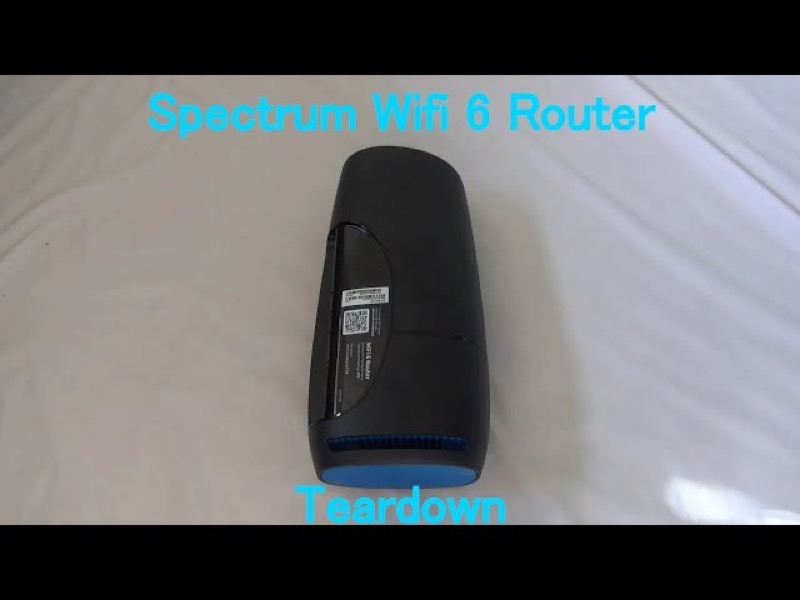
Spectrum’s WiFi 6 router manual says that a solid blue or green status light means the router is connected to the internet. So a router that shows solid blue but your devices have no internet is a mismatch between the light and what you see. The manual does not describe that situation, so the light alone cannot tell you where the fault is.
The likely places to look are the devices, the Wi-Fi connection between them and the router, and the router’s own connection to the modem. Solid blue tells you the router has an internet connection. It does not tell you that each device has joined the Wi-Fi network, or that the network is giving every device a working connection. So the page works from the router outward: confirm the router’s state, then check the devices, then check the link to the modem.
This page covers the Spectrum WiFi 6 router family only, the the SAX1V1 family. The manual’s status-light table is for that family. It does not describe the lights on Spectrum’s modems or other routers.
#2 What each light means
| Light, per Spectrum’s manual | What it tells you | What to check next |
|---|---|---|
| Blue or green, solid | Connected to the internet | The devices and their Wi-Fi connection |
| Blue or green, pulsing | Connecting to the internet | Wait for it to settle |
| Blue or green, flashing | Booting up | Wait for start-up to finish |
| Red, pulsing | Connectivity issue | The cable from the modem, and the modem |
If the light is solid blue or green, the router has told you its internet connection is up. That means the next step is the devices. If the light is pulsing or red, the router has not finished connecting or has a connectivity issue, so the next step is the connection, not the devices.
#3 Steps to Troubleshoot
- Confirm the light is solid, not pulsing. A pulsing light is still connecting, so wait for it to settle before you judge the connection.
- Test one device with a wired connection, if you can. Use an Ethernet cable to a LAN port on the router. If that device gets online, the problem is the Wi-Fi link, not the internet.
- Check the device’s Wi-Fi settings. Make sure the device is on your Spectrum network and that the password is correct.
- Forget and rejoin the network on the device. This clears a stale connection without changing the router’s settings.
- Check the modem and the cable. Make sure the cable from the modem into the router’s Internet port is firmly connected, and that the modem has power.
- Check for a Spectrum outage in your area. An outage can affect devices even when the router shows solid blue or green.
- Reboot once if the devices still cannot get online. Press and hold the Reset button on the side for 4 to 14 seconds. The manual says your personalised settings are kept.
- Contact Spectrum if the problem remains. Say that the router shows solid blue or green but the devices have no internet, and give the model and what you have already checked.
#4 What If Scenarios
Q: The router is solid blue but my laptop has no internet. Is the router broken? Not on the manual’s reading. Solid blue means the router is connected to the internet, so start with the laptop. Check its Wi-Fi settings, rejoin the network, and test with a wired connection if you can.
Q: Every device has no internet, but the light is solid blue. What now? That points more to the router’s side of the connection or an outage than to one device. Check the modem and cable, look for an outage, and reboot once if the problem remains.
Q: The light is pulsing blue and the devices have no internet. Is that the same thing? No. A pulsing light means the router is still connecting. Wait for it to turn solid before you judge the devices, because the connection is not finished.
Q: Will a factory reset fix a router that shows blue but has no internet for my devices? The manual does not present a factory reset as the fix for this. A factory reset removes your personalised settings, so use it only if Spectrum support asks you to.
Q: My Spectrum device is a modem, not the WiFi 6 router. Does this apply? No. The manual covers the WiFi 6 router family only. Use the page for your device.
#5 Related Articles
For the full WiFi 6 router legend, read the Spectrum WiFi 6 router lights guide. For the blue states, read the Spectrum router blinking blue guide. For the solid light and the cable checks, read the Spectrum router solid red guide.