
#1 What This State Means
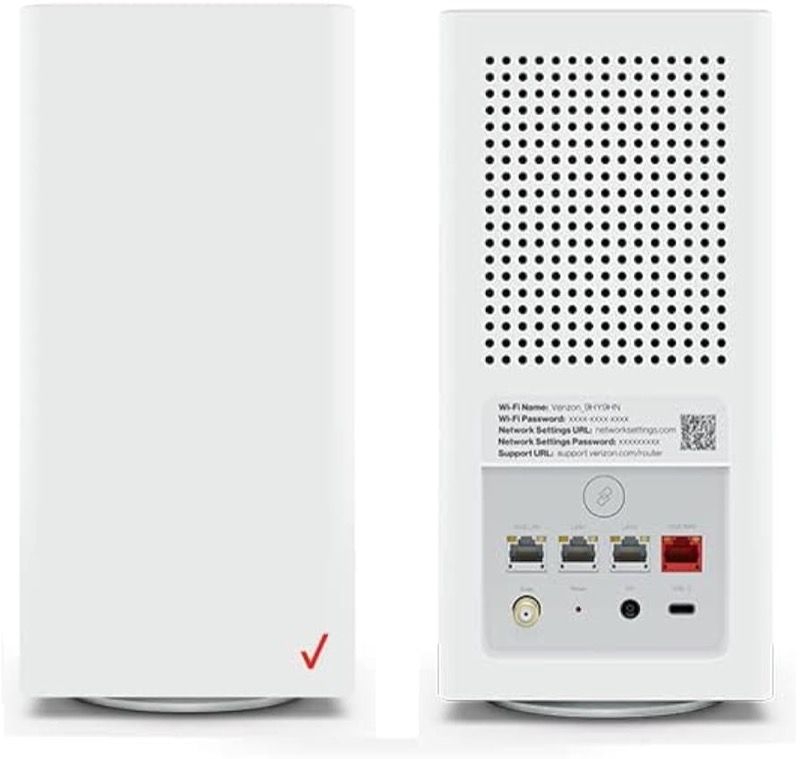
On the Verizon CR1000A, there is no separate Wi-Fi light to blink. Verizon’s user guide (S08) and its knowledge-base chart (S09) describe one front Router Status light, and they describe Wi-Fi only in two ways: solid green means Wi-Fi has been turned off, and the light returns to solid white when Wi-Fi is back on. The guide also describes a slow blue blink during WPS pairing. So a blinking light that you think of as a Wi-Fi light is the Router Status light, and its colour and speed decide the state.
That makes a “Wi-Fi light blinking” question a question about the Router Status light. A blinking white light is a start-up state, a blinking blue light is WPS pairing, and a blinking red light belongs to the red states, where the sources disagree. None of these is a separate Wi-Fi indicator, so the Wi-Fi name and password are checked in the router’s settings, not from the light alone.
The page covers the CR1000A only. The user guide’s chart is for that model, and the sources do not show that other Verizon routers share it.
#2 Blinking light and Wi-Fi on the CR1000A
| What you see | What Verizon says | What to do |
|---|---|---|
| Fast blinking white | Booting or a system restart | Wait for it to finish |
| Slow blinking blue | WPS pairing mode, for up to two minutes | Finish pairing on the device |
| Fast blinking blue | WPS pairing successful | Wait for solid white |
| Solid green | Wi-Fi has been turned off | Turn Wi-Fi back on in the settings |
| Solid white | Normal operation, and Wi-Fi is back on | Check the devices |
| Any red pattern | Several states; the sources disagree | Contact Verizon with the pattern |
The Wi-Fi state is clearest from solid green and solid white, not from a blink. A blinking light tells you what the router is doing, not whether Wi-Fi is switched on.
#3 Steps to Troubleshoot a Wi-Fi problem
- Check the light’s colour. Solid green means Wi-Fi is off. Solid white means it is on.
- If it is solid green, turn Wi-Fi back on. The user guide says the light returns to solid white once Wi-Fi is on, so check that the light changes.
- If it is blinking, identify the blink first. White is a start-up, blue is WPS, and red is one of the disputed states.
- Check the Wi-Fi name from another device. If the light is solid white and the network name is missing, the Wi-Fi may be off in the settings or the device may be looking in the wrong place.
- Check the device’s own Wi-Fi setting. Make sure Wi-Fi is on at the device, and that it is not in airplane mode.
- Check the password on the router’s label. The user guide says the label shows the default Wi-Fi name and password, so compare them with what the device asks for.
- Contact Verizon if the network stays missing. Give the model, the light’s colour and speed, and what you have already checked.
#4 What If Scenarios
Q: The light is blinking, but my Wi-Fi name is missing. Is the Wi-Fi off? The blink is not a Wi-Fi indicator. Check the colour: solid green means Wi-Fi is off, and white means it is on. A blinking white light is a start-up state, so let it finish before you judge the Wi-Fi name.
Q: The light is solid green. How do I turn Wi-Fi on? The user guide says solid green means Wi-Fi has been turned off. Turn it back on in the router’s settings, and check that the light returns to solid white.
Q: My Wi-Fi name is there but my devices cannot connect. Is that the light? The light does not show that. Check the password on the label and on the device, forget and rejoin the network on the device, and contact Verizon if the other devices also fail.
Q: Will a reset bring the Wi-Fi name back? The user guide does not describe a reset as the fix for a missing Wi-Fi name, and this page gives no reset duration, because only the user guide gives one. A reset removes your settings, so use it only if Verizon support asks you to.
Q: My router is a Fios Router G3100 or another model. Does this chart apply? Not as far as the sources show. This chart is for the CR1000A.
#5 Related Articles
For the full CR1000A chart, read the Verizon CR1000A light meanings guide. For the blue WPS states, read the Verizon router blinking blue guide. For the solid white state, read the Verizon router solid white guide.