
#1 What This State Means
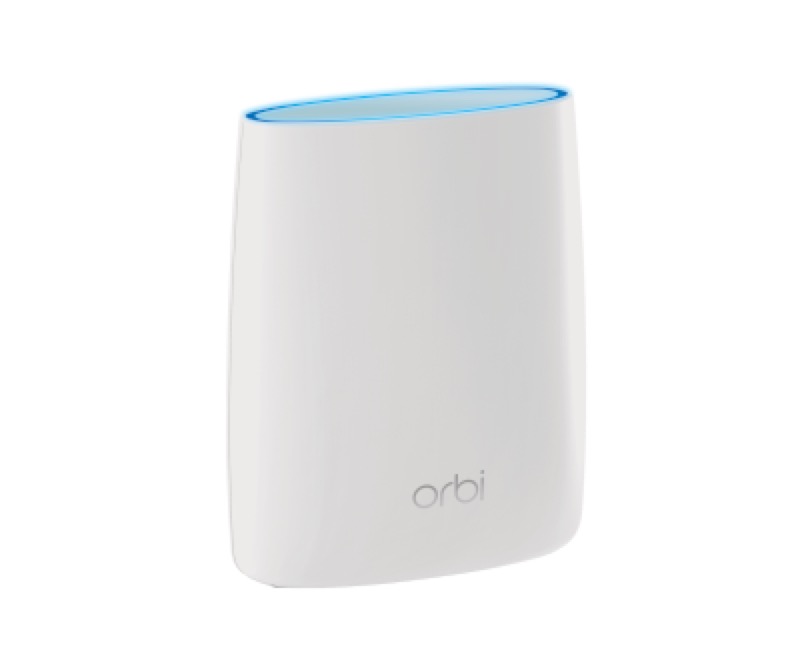
On an Orbi router, a pulsing white ring light means one of two things, according to NETGEAR’s official Orbi article (S28). Either the router is powering up, or it is attempting to connect after you pressed the WPS button. The article gives the same pulsing white for the satellite, where it means the satellite is powering up or trying to connect to the router. So a blinking white ring is a start-up or connecting state, not a fault.
The pulse is the working state. The article’s solid readings are the ones that show the end result: solid white means the router is ready to set up, and off means it is connected to the internet. If the ring stops pulsing and turns solid magenta, the router has finished starting but has no internet connection, and that is a different state.
The article applies across the Orbi lines it lists, and it is not tied to one model. Use it for the Orbi family, and confirm the model on the label before you rely on a particular detail.
#2 Pulsing white on an Orbi router
| Ring light | What NETGEAR says | What to do |
|---|---|---|
| Pulsing white | Powering up, or trying to connect after the WPS button | Wait for it to finish |
| Solid white | Ready to set up | Continue setup |
| Off | Connected to the internet | Nothing to fix on the router |
| Solid magenta | No internet connection | Check the modem and the cable |
If the pulse follows a WPS press, the pulse is the router trying to connect the device you chose. If you did not press WPS, the pulse is the router starting up, so check that the power is steady before you do anything else.
#3 Steps to Troubleshoot
- Confirm the light is on the router’s ring. The ring is the white light around the router’s top. The power light is separate.
- Decide whether you pressed WPS. A pulse after a WPS press is the router connecting the device, so wait for it to finish.
- If you did not press WPS, wait for the start-up. The pulse is the router powering up, so give it time before you judge it.
- If the ring turns solid white, continue setup. NETGEAR’s article says solid white means the router is ready to set up.
- If the ring turns off, the router is connected. Test the internet on a device.
- If the ring turns solid magenta, check the modem and cable. That is the no-internet state, so check the modem, the cable from it to the router, and any outage.
- Do not unplug the router while it pulses. The start-up or connection is still running.
- Contact NETGEAR if the pulse does not stop. Give the model from the label, how long it has pulsed, and whether you pressed WPS.
#4 What If Scenarios
Q: My Orbi router ring is pulsing white and will not stop. What is wrong? NETGEAR’s article describes pulsing white as powering up or trying to connect after WPS. Give it time, then check the modem and the cable if the pulse continues. The article does not give a time limit, so contact NETGEAR if it keeps pulsing for a long time.
Q: I pressed WPS and the ring is pulsing white. Is that normal? Yes, according to the article. Pulsing white after a WPS press means the router is trying to connect the device, so wait for the connection to finish.
Q: The ring is pulsing white on a satellite, not the router. Is it the same? The article gives the same pulsing white for the satellite, which means it is powering up or trying to connect to the router. Check the satellite’s link to the router, and use the router’s ring for the internet state.
Q: The ring changed from pulsing white to solid magenta. What now? Solid magenta on a router means no internet connection, so check the modem and cable. The start-up has finished, so the internet is the thing to check.
Q: Can I use the Orbi router light guide for a different router? The article applies across the Orbi lines it lists. Confirm the model on your label, and contact NETGEAR if you are unsure whether it is covered.
#5 Related Articles
For the full Orbi light list, read the Orbi router and satellite lights guide. For the solid white ring, read the Orbi router ring light white guide. For the magenta ring, read the Orbi router solid magenta guide.