
#1 What This State Means
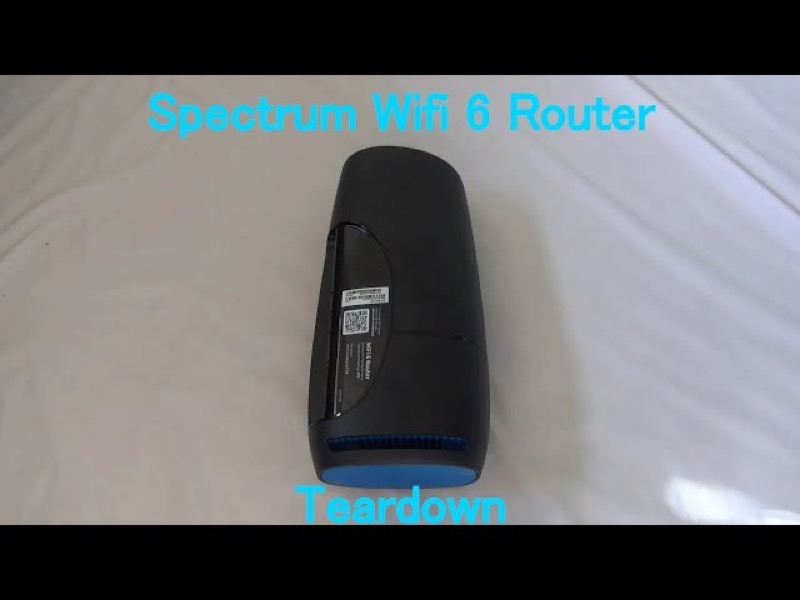
If your Spectrum WiFi 6 router is showing red, the “why” depends on the red pattern, and Spectrum’s manual gives three of them. A red pulse is a connectivity issue. Red alternating with blue or green is a firmware update, and the router restarts itself when the update is done. Red alternating with white is overheating. So the answer to why it is red is the pattern: a connection problem, an update in progress, or heat.
Only the first of these is about the connection. The manual names the connectivity issue but does not say what causes it, so the page cannot give a single reason. The second and third are not connection problems at all: the update should finish on its own, and the overheating needs the router moved, not a reset.
This page covers the Spectrum WiFi 6 router family only, the SAX1V1 family. The manual’s status-light table is for that family. It does not describe red lights on Spectrum’s modems or other routers.
#2 Why the light is red
| Red pattern | Why the router shows it, per Spectrum’s manual |
|---|---|
| Red, pulsing | Connectivity issue |
| Red and blue or green, alternating | Firmware update; the router restarts automatically |
| Red and white, alternating | Overheating |
The manual gives the state but not the root cause of a connectivity issue. A pulse can come from the cable, the modem, or the network, so the steps below check those in order rather than assuming one of them.
#3 Steps to check a red light
- Identify the pattern. A pulse on its own is a connectivity issue. An alternation with blue or green is an update, and an alternation with white is overheating.
- For a pulse, check the cable from the modem. Make sure the cable into the router’s Internet port is firmly connected at both ends.
- For a pulse, check the modem. Make sure it has power and its own lights look normal.
- For a pulse, check for a Spectrum outage in your area. A connectivity issue can come from the network.
- For a pulse that continues, reboot once. Press and hold the Reset button on the side for 4 to 14 seconds. The manual says your personalised settings are kept.
- For an update, wait. Do not unplug the router, because it restarts itself when the update is finished.
- For overheating, move the router. Put it on a flat, open spot with air around it, away from a media centre, a closet or a TV.
- Contact Spectrum if the red pulse returns. Give the model, the pattern, how long it has lasted, and what you have already checked.
#4 What If Scenarios
Q: Why is my router red and pulsing even though the internet works? The manual calls a red pulse a connectivity issue, so the connection may be unstable even while it works. The manual does not give a single cause, so check the cable and modem, look for an outage, and contact Spectrum if the pulse continues.
Q: Why is the red light alternating with blue after I did nothing? That pattern is a firmware update in the manual. The router restarts itself when the update finishes, so wait and do not unplug it.
Q: Why is the light red and white? The manual says red and white alternating is overheating. Move the router to a cooler, open spot before you reboot it.
Q: Why did a pulsing red light stop and come back? The manual does not explain an intermittent connectivity issue. Note when it stops and returns, check the cable and modem, and give Spectrum those times when you call.
Q: Does this page apply to my modem? No. The manual covers the WiFi 6 router family only, so use the page for your device.
Q: Why is my red light showing up after a power cut? After a power cut the router starts again and reconnects. If it cannot reach the internet, the manual’s red pulse, a connectivity issue, is the state it would show. The manual does not say a power cut causes it, so check the modem first, since the modem also restarts. Use the power outage guide for the start-up stages, and contact Spectrum if the red pulse stays.
#5 Related Articles
For the full WiFi 6 router legend, read the Spectrum WiFi 6 router lights guide. For the red pulse on its own, read the Spectrum router blinking red guide. For the solid red light, read the Spectrum router solid red guide.